

What is Microsoft Teams?
Work together how you want, when you want. Create and collaborate on documents with others and keep everyone organized and up-to-date with shared notebooks.
Company Details
Need Assistance?
We're here to help you with understanding our reports and the data inside to help you make decisions.
Get AssistanceMicrosoft Teams Ratings
Real user data aggregated to summarize the product performance and customer experience.
Download the entire Product Scorecard
to access more information on Microsoft Teams.
Product scores listed below represent current data. This may be different from data contained in reports and awards, which express data as of their publication date.
90 Likeliness to Recommend
97 Plan to Renew
84 Satisfaction of Cost Relative to Value
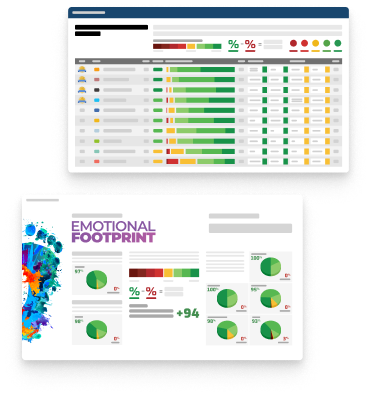
Emotional Footprint Overview
Product scores listed below represent current data. This may be different from data contained in reports and awards, which express data as of their publication date.
+90 Net Emotional Footprint
The emotional sentiment held by end users of the software based on their experience with the vendor. Responses are captured on an eight-point scale.
How much do users love Microsoft Teams?
Pros
- Fair
- Reliable
- Enables Productivity
- Respectful
How to read the Emotional Footprint
The Net Emotional Footprint measures high-level user sentiment towards particular product offerings. It aggregates emotional response ratings for various dimensions of the vendor-client relationship and product effectiveness, creating a powerful indicator of overall user feeling toward the vendor and product.
While purchasing decisions shouldn't be based on emotion, it's valuable to know what kind of emotional response the vendor you're considering elicits from their users.
Footprint
Negative
Neutral
Positive
Feature Ratings
Collaboration
Calendars
File Sharing Collaboration
Mobile App
Employee Engagement
Task Management
Content Management
Employee Directory
Workflow & Approvals
Networked Enterprise
Virtual Offices
Vendor Capability Ratings
Business Value Created
Ease of Implementation
Breadth of Features
Quality of Features
Usability and Intuitiveness
Ease of IT Administration
Ease of Data Integration
Product Strategy and Rate of Improvement
Availability and Quality of Training
Ease of Customization
Vendor Support
Also Featured in...
Unified Communications as a Service
Score 8.9
View Microsoft Teams in this category (opens in a new tab)
Web and Video Conferencing - Enterprise
Score 8.8
View Microsoft Teams in this category (opens in a new tab)
Business Instant Messaging - Enterprise
Score 8.8
View Microsoft Teams in this category (opens in a new tab)
Microsoft Teams Reviews

Prem P.
- Role: Information Technology
- Industry: Technology
- Involvement: End User of Application
Submitted Feb 2026
The best workspace for document sharing.
Likeliness to Recommend
What differentiates Microsoft Teams from other similar products?
Teams makes it much easier to talk about a document while you are looking at it than dropbox or google drive. it is the best one because chat stays right next to file. you need not keep switching tabs, to give feedback. it speeds up the whole review production process and it’s less error-prone.
What is your favorite aspect of this product?
That i can see a version history of a file in the app. the approvals app (within teams) is also a great way for me to get formal sign offs on my work, without sending 12 emails. The interface is clean enough that I can find what I need without too much hunting around.
What do you dislike most about this product?
It can sometimes be a little slow to sync files if they are rather large. The wiki tab would be also limited for formatting situations. the screen sharing bar sometimes sits on top of my other windows which is annoying
What recommendations would you give to someone considering this product?
This is a fantastic tool to have for any team that does a lot of collaborative writing or data analysis. it stores all your documents and conversations securely in one location. to anyone trying to optimize their document management and team collaboration workflow.
Pros
- Continually Improving Product
- Effective Service
- Client's Interest First
- Transparent
Cons
- Less Performance Enhancing
- Under Delivered
Please tell us why you think this review should be flagged.

Minakshi M.
- Role: Information Technology
- Industry: Technology
- Involvement: End User of Application
Submitted Feb 2026
SYNC LIKE NEVER BEFORE.
Likeliness to Recommend
What differentiates Microsoft Teams from other similar products?
we switched from slack because teams had more security options and the same price for the more features. what makes it special is how it treats file storage through sharepoint. as it seems much more professional and secure for our client data. i don´t feel that i'm only using a messenger app but an entire business platform as our company scale up.
What is your favorite aspect of this product?
i love the new ‘meet now’ feature because it allows us to huddle as wanted, with no scheduling required. the background blur is great for when i’m working from a messy kitchen. i also really love that i can use third party apps like trello and asana so that all my workflow is done in one app. it has literally taken a burden off my shoulders.
What do you dislike most about this product?
While you can remove or archive old chats that is somewhat of a pain and the sidebar can get messy after a few months. Sometimes it can lag if the connection isn’t the best with screen-share. i also feel the guest permission etc are a bit confusing to setup in the beginning.
What recommendations would you give to someone considering this product?
if you're growing and your team is getting bigger and you need a way to keep everyone connected without the headache of losing files this is the solution. it offers an stable place meeting thousands of users chatting or giving presentations. it is well worth it if you're in need of more full fledged Corporate communication tool.
Pros
- Trustworthy
- Unique Features
- Effective Service
- Client Friendly Policies
Please tell us why you think this review should be flagged.

Surbhi K.
- Role: Information Technology
- Industry: Technology
- Involvement: End User of Application
Submitted Feb 2026
Teams for Daily Chats and collaboration
Likeliness to Recommend
What differentiates Microsoft Teams from other similar products?
Simple to use, tracks activity or tracking, formatting is good
What is your favorite aspect of this product?
tracks actitivity of user either its online or offline, best for company use
What do you dislike most about this product?
not supported ai to improve the text messages and errors
What recommendations would you give to someone considering this product?
need to provide ai integration to make more meaningful messages in group , pin the most used teams group actively
Pros
- Reliable
- Enables Productivity
- Unique Features
- Respectful
Please tell us why you think this review should be flagged.





Get Instant Access<br>to this Report
Get Instant Access
to this Report
Unlock your first report with just a business email. Register to access our entire library.
© 2026 SoftwareReviews.com. All rights reserved.