

What is Microsoft Teams?
Work together how you want, when you want. Create and collaborate on documents with others and keep everyone organized and up-to-date with shared notebooks.
Company Details
Need Assistance?
We're here to help you with understanding our reports and the data inside to help you make decisions.
Get AssistanceMicrosoft Teams Ratings
Real user data aggregated to summarize the product performance and customer experience.
Download the entire Product Scorecard
to access more information on Microsoft Teams.
Product scores listed below represent current data. This may be different from data contained in reports and awards, which express data as of their publication date.
90 Likeliness to Recommend
97 Plan to Renew
84 Satisfaction of Cost Relative to Value
Emotional Footprint Overview
Product scores listed below represent current data. This may be different from data contained in reports and awards, which express data as of their publication date.
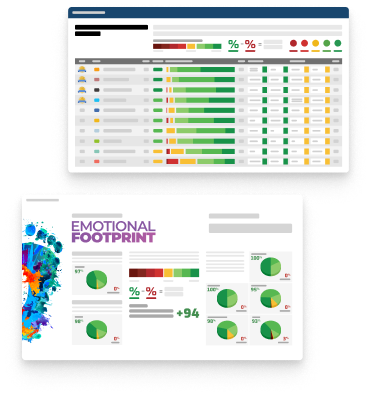
+90 Net Emotional Footprint
The emotional sentiment held by end users of the software based on their experience with the vendor. Responses are captured on an eight-point scale.
How much do users love Microsoft Teams?
Pros
- Fair
- Reliable
- Enables Productivity
- Respectful
How to read the Emotional Footprint
The Net Emotional Footprint measures high-level user sentiment towards particular product offerings. It aggregates emotional response ratings for various dimensions of the vendor-client relationship and product effectiveness, creating a powerful indicator of overall user feeling toward the vendor and product.
While purchasing decisions shouldn't be based on emotion, it's valuable to know what kind of emotional response the vendor you're considering elicits from their users.
Footprint
Negative
Neutral
Positive
Feature Ratings
Collaboration
Calendars
File Sharing Collaboration
Mobile App
Employee Engagement
Task Management
Content Management
Employee Directory
Workflow & Approvals
Networked Enterprise
Virtual Offices
Vendor Capability Ratings
Business Value Created
Ease of Implementation
Breadth of Features
Quality of Features
Usability and Intuitiveness
Ease of IT Administration
Ease of Data Integration
Product Strategy and Rate of Improvement
Availability and Quality of Training
Ease of Customization
Vendor Support
Also Featured in...
Unified Communications as a Service
Score 8.9
View Microsoft Teams in this category (opens in a new tab)
Web and Video Conferencing - Enterprise
Score 8.8
View Microsoft Teams in this category (opens in a new tab)
Business Instant Messaging - Enterprise
Score 8.8
View Microsoft Teams in this category (opens in a new tab)
Microsoft Teams Reviews

Hatim B.
- Role: Information Technology
- Industry: Technology
- Involvement: End User of Application
Submitted Mar 2026
No more switching between different apps.
Likeliness to Recommend
What differentiates Microsoft Teams from other similar products?
The one thing we liked about teams better than discord is that it felt very much professionally based. It is the best because it maintains my focus and motivation in achieving my career goals. Im not being distracted from normal servers or non-work related chats. It gives me a very clear dividing line between my personal life and professional duties.
What is your favorite aspect of this product?
The ‘together mode’ is one of my favourite features because it makes you feel like we are all sitting in a lecture hall together. It lightens up the meetings and makes it all feel a little bit more carefree, fun.” I also love the microsoft product high security and compliance. That chat translation is also really helpful for our international partners.
What do you dislike most about this product?
The app can lag if you pin many channels. I also find the ‘meet’ button a little too easy to click by accident. Its image-handling in the chat could use some improvement, when it comes to previewing them.
What recommendations would you give to someone considering this product?
This is a perfect suggestion where to have an isolated workspace with security and professionalism. It has you stay on message, and also keeps your communication productive.” It is a highly reliable tool and has kept our team connected through some very busy times.
Pros
- Enables Productivity
- Altruistic
- Client's Interest First
- Over Delivered
Please tell us why you think this review should be flagged.
Diana M.
- Role: Information Technology
- Industry: Healthcare
- Involvement: End User of Application
Submitted Feb 2026
Easy communication
Likeliness to Recommend
What differentiates Microsoft Teams from other similar products?
It's very easy to use
What is your favorite aspect of this product?
It's free for short meetings
What recommendations would you give to someone considering this product?
It's support screen sharing and file sharing during meeting.
Pros
- Helps Innovate
- Performance Enhancing
- Efficient Service
- Effective Service
Please tell us why you think this review should be flagged.

Anvesha B.
- Role: Sales Marketing
- Industry: Technology
- Involvement: End User of Application
Submitted Feb 2026
how I organize my projects on a day to day.
Likeliness to Recommend
What differentiates Microsoft Teams from other similar products?
teams is way easier than just the simple email threads one really can see how a project or task is progressing in real time. its the best because the integration for 'planner' is just so seamless. i can do some task assignment and get a pulse on who is doing what without leaving the chat. it makes project management feel very organic and less an additional burden.
What is your favorite aspect of this product?
i love being able to have my side bar with the apps validated. the shifts feature of it is also one way to keep track of our team schedule and know who is available for a call. Video quality is typically quite good and I very seldom have issues with dropped calls which is crucial for my client meetings.
What do you dislike most about this product?
it’s still a little annoying to deal with multiple accounts and involve a lot of logging in and out. tbh i think the emojis need a lil re-design too, they're looking kinda old. the pasted text doesn’t always turn up properly formatted in the chat.
What recommendations would you give to someone considering this product?
id recommend this for any project manager who wants to have an overview of the team without ever having to micromanage. it gives very easily a current state of the project at any time. it is a great way to ensure that everyone stays accountable and keeps things moving forward.
Pros
- Performance Enhancing
- Enables Productivity
- Effective Service
- Caring
Please tell us why you think this review should be flagged.





Get Instant Access<br>to this Report
Get Instant Access
to this Report
Unlock your first report with just a business email. Register to access our entire library.
© 2026 SoftwareReviews.com. All rights reserved.