

What is Microsoft Teams?
Work together how you want, when you want. Create and collaborate on documents with others and keep everyone organized and up-to-date with shared notebooks.
Company Details
Need Assistance?
We're here to help you with understanding our reports and the data inside to help you make decisions.
Get AssistanceMicrosoft Teams Ratings
Real user data aggregated to summarize the product performance and customer experience.
Download the entire Product Scorecard
to access more information on Microsoft Teams.
Product scores listed below represent current data. This may be different from data contained in reports and awards, which express data as of their publication date.
90 Likeliness to Recommend
97 Plan to Renew
84 Satisfaction of Cost Relative to Value
Emotional Footprint Overview
Product scores listed below represent current data. This may be different from data contained in reports and awards, which express data as of their publication date.
+90 Net Emotional Footprint
The emotional sentiment held by end users of the software based on their experience with the vendor. Responses are captured on an eight-point scale.
How much do users love Microsoft Teams?
Pros
- Fair
- Reliable
- Enables Productivity
- Respectful
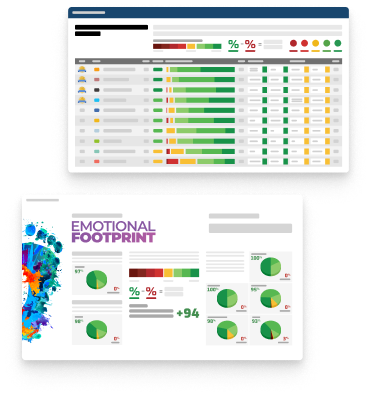
How to read the Emotional Footprint
The Net Emotional Footprint measures high-level user sentiment towards particular product offerings. It aggregates emotional response ratings for various dimensions of the vendor-client relationship and product effectiveness, creating a powerful indicator of overall user feeling toward the vendor and product.
While purchasing decisions shouldn't be based on emotion, it's valuable to know what kind of emotional response the vendor you're considering elicits from their users.
Footprint
Negative
Neutral
Positive
Feature Ratings
Collaboration
Calendars
File Sharing Collaboration
Mobile App
Employee Engagement
Task Management
Content Management
Employee Directory
Workflow & Approvals
Networked Enterprise
Virtual Offices
Vendor Capability Ratings
Business Value Created
Ease of Implementation
Breadth of Features
Quality of Features
Usability and Intuitiveness
Ease of IT Administration
Ease of Data Integration
Product Strategy and Rate of Improvement
Availability and Quality of Training
Ease of Customization
Vendor Support
Also Featured in...
Unified Communications as a Service
Score 8.9
View Microsoft Teams in this category (opens in a new tab)
Web and Video Conferencing - Enterprise
Score 8.8
View Microsoft Teams in this category (opens in a new tab)
Business Instant Messaging - Enterprise
Score 8.8
View Microsoft Teams in this category (opens in a new tab)
Microsoft Teams Reviews
James B.
- Role: Finance
- Industry: Technology
- Involvement: IT Leader or Manager
Submitted Oct 2024
"Powerful collaboration tool with seamless integra
Likeliness to Recommend
What differentiates Microsoft Teams from other similar products?
Integration with Microsoft 365: Teams seamlessly integrates with other Microsoft applications like Word, Excel, and OneNote, making it easy to collaborate on documents within the platform. Robust Features: It offers a comprehensive set of features, including video conferencing, chat, file sharing, and task management, all in one place.
What is your favorite aspect of this product?
One of my favorite aspects of Microsoft Teams is its seamless integration with other Microsoft 365 tools. This connectivity allows for smooth collaboration—like editing documents in real-time during a meeting or easily sharing files. It creates a cohesive workflow that helps teams stay organized and productive without having to switch between multiple apps. This all-in-one approach can significantly enhance efficiency and teamwork.
What do you dislike most about this product?
Not available
What recommendations would you give to someone considering this product?
Explore Integrations: Take advantage of its integration with other Microsoft 365 tools. Familiarize yourself with how Teams works with apps like SharePoint, OneDrive, and Outlook to streamline your workflows. Utilize Channels and Tabs: Organize your team by creating channels for specific projects or topics. Use tabs to add relevant documents or resources directly within channels for easy access. Leverage Video Features: Make the most of the video conferencing capabilities. Experiment with features like background blur, live captions, and breakout rooms to enhance your meetings.
Pros
- Helps Innovate
- Continually Improving Product
- Reliable
- Performance Enhancing
Please tell us why you think this review should be flagged.
Smrati T.
- Role: Information Technology
- Industry: Technology
- Involvement: IT Leader or Manager
Submitted Oct 2024
User friendly instant messaging
Likeliness to Recommend
What differentiates Microsoft Teams from other similar products?
Enterprise Security and Compliance: Microsoft places a strong emphasis on security and compliance, offering powerful features such as data encryption, multi-factor authentication, and adherence to various regulations, all of which are critical for many organizations.
What is your favorite aspect of this product?
Enterprise Security and Compliance
What do you dislike most about this product?
Performance Issues: slow performance, especially during large meetings or when multiple apps are integrated.
What recommendations would you give to someone considering this product?
Good product to try
Pros
- Helps Innovate
- Continually Improving Product
- Reliable
- Enables Productivity
Please tell us why you think this review should be flagged.

Francisco G.
- Role: Information Technology
- Industry: Retail
- Involvement: End User of Application
Submitted Oct 2024
Microsoft Teams for Meetings
Likeliness to Recommend
What differentiates Microsoft Teams from other similar products?
Microsoft Teams is a critical app to use, as we want to schedule meetings, share documents, and even provide online presentations to stakeholders. The tool’s wide range of functionalities helps to underline that it is one of the most suitable for proper team cooperation and communication. This is a breakdown of how effective the Microsoft Teams application is.
What is your favorite aspect of this product?
The fact that I like Microsoft Teams most is because it is flexible in its use. It ranges from short team meetings to presentations before major stakeholders of an organization. It is convenient to be able to record meetings and have their content for reference in case something is forgotten; all the more convenient where the topic of the meeting can be reviewed.
What do you dislike most about this product?
Somewhat, it brings a limitation of resource consumption; there are times the platform demands too many resources, which can be a strain to devices of lower specifications. This could possibly decrease productivity if well managed.
What recommendations would you give to someone considering this product?
One of the key advantages of using Microsoft Teams is the ability to easily work with other tools in Microsoft Office. This makes it possible and quite convenient when working on documents and then sharing or coauthoring them during meetings. The video conferencing feature of the platform is also unique, with high-definition calls and features such as screen sharing and virtual background options.
Pros
- Helps Innovate
- Continually Improving Product
- Reliable
- Performance Enhancing
Please tell us why you think this review should be flagged.





Get Instant Access<br>to this Report
Get Instant Access
to this Report
Unlock your first report with just a business email. Register to access our entire library.
© 2026 SoftwareReviews.com. All rights reserved.