

What is Zoom Workplace?
Transform the way you work with an AI-first approach to streamline communications, improve productivity, increase employee engagement, and optimize flexible work, all with Zoom Workplace and Zoom AI Companion.
Company Details
Need Assistance?
We're here to help you with understanding our reports and the data inside to help you make decisions.
Get AssistanceZoom Workplace Ratings
Real user data aggregated to summarize the product performance and customer experience.
Product scores listed below represent current data. This may be different from data contained in reports and awards, which express data as of their publication date.
89 Likeliness to Recommend
95 Plan to Renew
1
Since last award
89 Satisfaction of Cost Relative to Value
5
Since last award
Emotional Footprint Overview
Product scores listed below represent current data. This may be different from data contained in reports and awards, which express data as of their publication date.
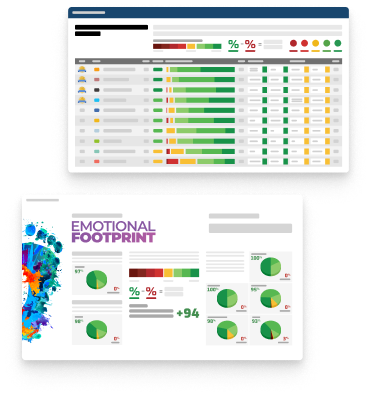
+98 Net Emotional Footprint
The emotional sentiment held by end users of the software based on their experience with the vendor. Responses are captured on an eight-point scale.
How much do users love Zoom Workplace?
Pros
- Helps Innovate
- Continually Improving Product
- Reliable
- Enables Productivity
How to read the Emotional Footprint
The Net Emotional Footprint measures high-level user sentiment towards particular product offerings. It aggregates emotional response ratings for various dimensions of the vendor-client relationship and product effectiveness, creating a powerful indicator of overall user feeling toward the vendor and product.
While purchasing decisions shouldn't be based on emotion, it's valuable to know what kind of emotional response the vendor you're considering elicits from their users.
Footprint
Negative
Neutral
Positive
Feature Ratings
Vendor Capability Ratings
Ease of Implementation
Business Value Created
Ease of Customization
Quality of Features
Ease of Data Integration
Usability and Intuitiveness
Breadth of Features
Product Strategy and Rate of Improvement
Availability and Quality of Training
Ease of IT Administration
Vendor Support
Also Featured in...
Unified Communications as a Service
Score 9.5
View Zoom Workplace in this category (opens in a new tab)
Appointment Scheduling
Score 9.0
View Zoom Workplace in this category (opens in a new tab)
Whiteboard Software
Score
View Zoom Workplace in this category (opens in a new tab)
Visitor Management
Score
View Zoom Workplace in this category (opens in a new tab)
Telemedicine
Score
View Zoom Workplace in this category (opens in a new tab)
Zoom Workplace Reviews

Michael A.
- Role: Information Technology
- Industry: Insurance
- Involvement: Business Leader or Manager
Submitted Dec 2022
Please tell us why you think this review should be flagged.

Scott D.
- Role: Sales Marketing
- Industry: Media
- Involvement: End User of Application
Submitted Dec 2022
Please tell us why you think this review should be flagged.

G.Hemanth T.
- Role: Information Technology
- Industry: Banking
- Involvement: End User of Application
Submitted Nov 2026
Reliable video essentials
Likeliness to Recommend
What differentiates Zoom Workplace from other similar products?
Zoom Workplace provides industry-leading audio/video reliability on low bandwidth, free AI Companion tools, and smooth integration across non-vendor platforms.
What is your favorite aspect of this product?
Best of all, the AI Companion features (such as meeting summaries and chat composition) are included at no additional cost per user, providing immediate productivity value without any additional licensing fees.
What do you dislike most about this product?
Zoom Workplace is great for video meetings, but users often feel that it tries to do too much beyond that. Its chat, documents, whiteboards, and email features can feel disconnected rather than working together as smoothly as Microsoft Teams or Google Workspace. On top of that, adding tools like Zoom Phone, Zoom Rooms, or extra cloud storage can quickly increase costs. As a result, what starts as a simple meeting solution can become an expensive and complicated platform as a business grows.
What recommendations would you give to someone considering this product?
I would consider below points before choosing Zoom workspace - Check what you already have: If your company already uses Microsoft 365 or Google Workspace, see whether Teams or Meet can meet your needs before paying for another platform. - Keep an eye on extra costs: The basic plans include AI Companion, but adding Zoom Phone, Zoom Rooms, or extra cloud storage can quickly increase your overall expenses. - Make use of more than meetings: Encourage your team to explore Team Chat and Docs so they can get more value from Zoom Workplace instead of using it just for video calls.
Pros
- Enables Productivity
- Unique Features
- Efficient Service
- Caring
Please tell us why you think this review should be flagged.






Get Instant Access<br>to this Report
Get Instant Access
to this Report
Unlock your first report with just a business email. Register to access our entire library.
© 2026 SoftwareReviews.com. All rights reserved.