

What is Microsoft Power Query?
Power Query is a data transformation and data preparation engine. Power Query comes with a graphical interface for getting data from sources and a Power Query Editor for applying transformations. Because the engine is available in many products and services, the destination where the data will be stored depends on where Power Query was used. Using Power Query, you can perform the extract, transform, and load (ETL) processing of data.
Company Details
Need Assistance?
We're here to help you with understanding our reports and the data inside to help you make decisions.
Get AssistanceMicrosoft Power Query Ratings
Real user data aggregated to summarize the product performance and customer experience.
Download the entire Product Scorecard
to access more information on Microsoft Power Query.
Product scores listed below represent current data. This may be different from data contained in reports and awards, which express data as of their publication date.
89 Likeliness to Recommend
96 Plan to Renew
82 Satisfaction of Cost Relative to Value
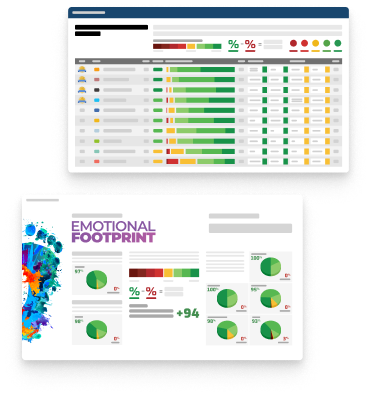
Emotional Footprint Overview
Product scores listed below represent current data. This may be different from data contained in reports and awards, which express data as of their publication date.
+92 Net Emotional Footprint
The emotional sentiment held by end users of the software based on their experience with the vendor. Responses are captured on an eight-point scale.
How much do users love Microsoft Power Query?
Pros
- Performance Enhancing
- Reliable
- Enables Productivity
- Respectful
How to read the Emotional Footprint
The Net Emotional Footprint measures high-level user sentiment towards particular product offerings. It aggregates emotional response ratings for various dimensions of the vendor-client relationship and product effectiveness, creating a powerful indicator of overall user feeling toward the vendor and product.
While purchasing decisions shouldn't be based on emotion, it's valuable to know what kind of emotional response the vendor you're considering elicits from their users.
Footprint
Negative
Neutral
Positive
Feature Ratings
Data Integration
Data Cleansing
Data Pre-Processing
Data Access
Data Connectors and Data Mashup
Data Profiling
Data Modelling Tools
Data Enrichment
Data Security & Masking
Data Packaging
Message Model
Vendor Capability Ratings
Business Value Created
Ease of Data Integration
Ease of Implementation
Breadth of Features
Quality of Features
Usability and Intuitiveness
Ease of IT Administration
Product Strategy and Rate of Improvement
Vendor Support
Ease of Customization
Availability and Quality of Training
Microsoft Power Query Reviews

Opeyemi B.
- Role: Information Technology
- Industry: Technology
- Involvement: End User of Application
Submitted Jul 2025
A powerful data prep tool with some minor flaws
Likeliness to Recommend
What differentiates Microsoft Power Query from other similar products?
Microsoft Power Query stands out due to its seamless integration with Microsoft's ecosystem and robust data transformation capabilities.
What is your favorite aspect of this product?
Robust data transformation capabilities, the power Query's advanced data transformation features which includes filtering, grouping, and merging, this makes it a valuable asset for data preparation.
What do you dislike most about this product?
Limited support for certain data source, as it supports many data sources, some niche or proprietary sources may not be supported also debugging and error handling challenges, Identifying and resolving errors in Power Query can be somewhat uneasy due to its formula-based language.
What recommendations would you give to someone considering this product?
i will recommend them to; Practice with sample datasets to understand its capabilities and limitations; Evaluate performance with large datasets to ensure it meets your needs; Consider training or resources to help you master Power Query.
Pros
- Helps Innovate
- Reliable
- Performance Enhancing
- Unique Features
Please tell us why you think this review should be flagged.

SOMTO E.
- Role: Information Technology
- Industry: Technology
- Involvement: End User of Application
Submitted Jul 2025
Easy to Use
Likeliness to Recommend
What differentiates Microsoft Power Query from other similar products?
Seamless Microsoft Integration Embedded in Power BI, Excel, and Azure Data Factory: Directly connect to Excel, SQL Server, SharePoint, Dynamics 365 without extra setup. One-click publishing to Power BI Service or Azure. Competitors: Alteryx/Tableau Prep require separate exports.
What is your favorite aspect of this product?
Low-Code with Advanced Backend (M Language) GUI for beginners, M code for pros: Drag-and-drop transforms (e.g., pivot, merge) with no coding. M language unlocks advanced logic (like Python in Pandas, but optimized for ETL). Competitors: Tableau Prep is simpler but less flexible; Python requires coding.
What do you dislike most about this product?
no version control or collaboration
What recommendations would you give to someone considering this product?
it is easy to use so i strongly recommend
Pros
- Reliable
- Performance Enhancing
- Enables Productivity
- Efficient Service
Please tell us why you think this review should be flagged.

Nwoye M.
- Role: Information Technology
- Industry: Technology
- Involvement: IT Development, Integration, and Administration
Submitted May 2025
Powerful and Flexible
Likeliness to Recommend
What differentiates Microsoft Power Query from other similar products?
Seamless Integration with Microsoft Ecosystem. User-Friendly Interface with Low-Code Approach. Powerful Data Shaping Capabilities. Query Folding for Efficiency. M Language for Advanced Logic. Integration with Dataflows. Cross-platform Compatibility.
What is your favorite aspect of this product?
its seamless integration with Excel and Power BI
What do you dislike most about this product?
its limited error handling and debugging capabilities.
What recommendations would you give to someone considering this product?
Master the Basics First. Leverage Query Folding. Use Parameters for Flexibility. Keep Transformations Modular. Document Your Steps. Test Regularly. Avoid Excessive Steps. Learn M Language Basics. Backup Your Queries. Explore Dataflows for Reusability.
Pros
- Efficient Service
- Effective Service
- Helps Innovate
- Continually Improving Product
Please tell us why you think this review should be flagged.






Get Instant Access<br>to this Report
Get Instant Access
to this Report
Unlock your first report with just a business email. Register to access our entire library.
© 2026 SoftwareReviews.com. All rights reserved.