

What is Google Forms?
Create custom forms for surveys and questionnaires at no extra cost. Gather everything in a spreadsheet and analyze data right in Google Sheets.
Company Details
Need Assistance?
We're here to help you with understanding our reports and the data inside to help you make decisions.
Get AssistanceGoogle Forms Ratings
Real user data aggregated to summarize the product performance and customer experience.
Download the entire Product Scorecard
to access more information on Google Forms.
Product scores listed below represent current data. This may be different from data contained in reports and awards, which express data as of their publication date.
91 Likeliness to Recommend
99 Plan to Renew
89 Satisfaction of Cost Relative to Value
Emotional Footprint Overview
Product scores listed below represent current data. This may be different from data contained in reports and awards, which express data as of their publication date.
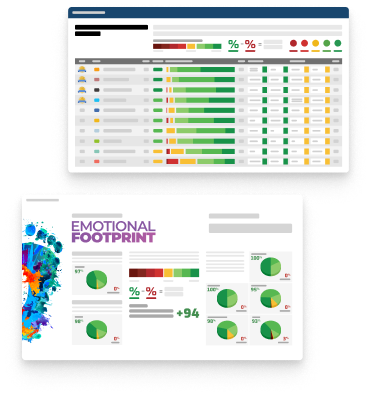
+94 Net Emotional Footprint
The emotional sentiment held by end users of the software based on their experience with the vendor. Responses are captured on an eight-point scale.
How much do users love Google Forms?
Pros
- Reliable
- Respectful
- Fair
- Acts with Integrity
How to read the Emotional Footprint
The Net Emotional Footprint measures high-level user sentiment towards particular product offerings. It aggregates emotional response ratings for various dimensions of the vendor-client relationship and product effectiveness, creating a powerful indicator of overall user feeling toward the vendor and product.
While purchasing decisions shouldn't be based on emotion, it's valuable to know what kind of emotional response the vendor you're considering elicits from their users.
Footprint
Negative
Neutral
Positive
Feature Ratings
Collaboration
Mobile Support
Questionnaire Design/Survey Builder
Role and User Management
Templates & Question Library
3rd-Party Integrations
Branching and Logic
Data Analysis and Visualization
Multi-Channel Distribution
APIs and Integration
Customizable Branding
Vendor Capability Ratings
Ease of Implementation
Business Value Created
Usability and Intuitiveness
Ease of Customization
Availability and Quality of Training
Quality of Features
Ease of IT Administration
Ease of Data Integration
Vendor Support
Breadth of Features
Product Strategy and Rate of Improvement
Also Featured in...
Google Forms Reviews

yashwanthi m.
- Role: Information Technology
- Industry: Technology
- Involvement: IT Leader or Manager
Submitted Aug 2026
Simple, Powerful, and Easy to Use
Likeliness to Recommend
What differentiates Google Forms from other similar products?
Google Forms is easy to use and integrates seamlessly with Google Workspace for real-time collaboration and automatic response collection. Its free access, simple sharing, and live analytics make it a convenient choice for surveys, quizzes, and forms.
What is your favorite aspect of this product?
My favorite aspect is its simplicity and ease of use, allowing forms to be created and shared in minutes. The seamless integration with Google Sheets for automatic response collection and analysis is also very valuable.
What do you dislike most about this product?
My biggest dislike is the limited design customization and advanced form logic compared to some competitors. It could also offer more powerful analytics, approval workflows, and built-in automation features.
What recommendations would you give to someone considering this product?
Google Forms is a great choice if you need a free, simple, and reliable tool for surveys, quizzes, or data collection. If you require advanced customization, workflows, or reporting, compare it with other form-building tools before deciding.
Pros
- Continually Improving Product
- Enables Productivity
- Trustworthy
- Caring
Please tell us why you think this review should be flagged.

Narina D.
- Role: Information Technology
- Industry: Technology
- Involvement: IT Leader or Manager
Submitted Aug 2026
Simple, Reliable, and Easy to Use
Likeliness to Recommend
What differentiates Google Forms from other similar products?
Google Forms stands out because it's free, easy to use, seamlessly integrates with Google Workspace, supports real-time collaboration, automatically collects responses in Google Sheets, and allows quick sharing with anyone using a simple link.
What is your favorite aspect of this product?
My favorite aspect of Google Forms is its simplicity and seamless integration with Google Workspace. It makes creating forms, collecting responses, collaborating in real time, and analyzing data quick and effortless.
What do you dislike most about this product?
The biggest drawback is the limited customization and advanced features. Compared to some competitors, Google Forms offers fewer design options, less flexibility in reporting and analytics, and lacks features like built-in e-signatures, offline responses, and more advanced conditional logic.
What recommendations would you give to someone considering this product?
I recommend Google Forms to anyone looking for a free, reliable, and easy-to-use form builder. It's an excellent choice for surveys, quizzes, feedback, registrations, and data collection. If you need advanced branding, automation, or analytics, you may eventually want to explore more specialized form-building tools.
Pros
- Continually Improving Product
- Enables Productivity
- Respectful
- Client's Interest First
Please tell us why you think this review should be flagged.

Gopi k.
- Role: Human Resources
- Industry: Transportation
- Involvement: Business Leader or Manager
Submitted Jun 2026
Game Changer for Easy Data Collection
Likeliness to Recommend
What differentiates Google Forms from other similar products?
The interface is clean, lightweight, and built for speed, allowing anyone to build and deploy a functional form within minutes without drowning in complex design settings. It connects instantly with the Google Workspace. Responses automatically sync to Google Sheets in real-time, making data tracking, sorting, and collaboration incredibly seamless.
What is your favorite aspect of this product?
The moment someone submits a response, it populates the spreadsheet automatically. There is no manual downloading, no converting file formats, and no lag—just clean, organized data ready for analysis immediately. It turns a simple form builder into a highly efficient automation tool.
What do you dislike most about this product?
You are highly restricted when it comes to branding. You can only change basic colors and a few fonts, but you cannot change the layout, create advanced multi-column structures, or make it look like a highly polished, custom-branded landing page. For a premium, professional look, it often falls short compared to tools like Typeform or Jotform.
What recommendations would you give to someone considering this product?
Don't just look at the default "Responses" tab. Link the form to a new Google Sheet right away so your data is automatically organized, easier to filter, and ready for analysis. If you need to collect a lot of data quickly or host a simple sign-up, it’s the perfect tool. However, if you need a high-end, premium-looking form for a client-facing brand website, look into alternatives like Typeform or Jotform instead.
Pros
- Helps Innovate
- Continually Improving Product
- Reliable
- Enables Productivity
Please tell us why you think this review should be flagged.




Get Instant Access<br>to this Report
Get Instant Access
to this Report
Unlock your first report with just a business email. Register to access our entire library.
© 2026 SoftwareReviews.com. All rights reserved.