
What is Microsoft Power BI?
Power BI is a business analytics solution that lets you visualize your data and share insights across your organization, or embed them in your app or website. Connect to hundreds of data sources and bring your data to life with live dashboards and reports.
Company Details
Need Assistance?
We're here to help you with understanding our reports and the data inside to help you make decisions.
Get AssistanceMicrosoft Power BI Ratings
Real user data aggregated to summarize the product performance and customer experience.
Download the entire Product Scorecard
to access more information on Microsoft Power BI.
Product scores listed below represent current data. This may be different from data contained in reports and awards, which express data as of their publication date.
88 Likeliness to Recommend
1
Since last award
99 Plan to Renew
1
Since last award
84 Satisfaction of Cost Relative to Value
Emotional Footprint Overview
Product scores listed below represent current data. This may be different from data contained in reports and awards, which express data as of their publication date.
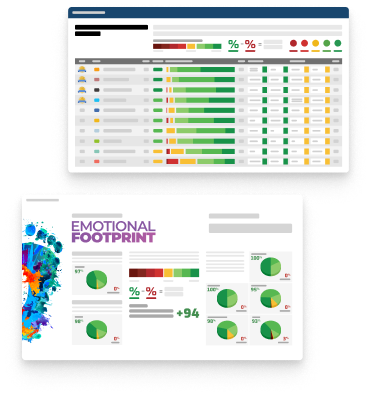
+91 Net Emotional Footprint
The emotional sentiment held by end users of the software based on their experience with the vendor. Responses are captured on an eight-point scale.
How much do users love Microsoft Power BI?
Pros
- Reliable
- Respectful
- Performance Enhancing
- Acts with Integrity
How to read the Emotional Footprint
The Net Emotional Footprint measures high-level user sentiment towards particular product offerings. It aggregates emotional response ratings for various dimensions of the vendor-client relationship and product effectiveness, creating a powerful indicator of overall user feeling toward the vendor and product.
While purchasing decisions shouldn't be based on emotion, it's valuable to know what kind of emotional response the vendor you're considering elicits from their users.
Footprint
Negative
Neutral
Positive
Feature Ratings
Dashboard
Data Exploration and Visualization
Collaboration
Data Modelling Tools
Real-Time Visualization
BI Security
BI Platform Administration
Advanced Analytics and Data Science
Operational Reporting Capabilities
Data Connectors and Data Mashup
Intelligent Alerts and Notifications
Vendor Capability Ratings
Quality of Features
Ease of Implementation
Business Value Created
Ease of Data Integration
Breadth of Features
Usability and Intuitiveness
Availability and Quality of Training
Product Strategy and Rate of Improvement
Ease of IT Administration
Ease of Customization
Vendor Support
Also Featured in...
Microsoft Power BI Reviews

Bhavik B.
- Role: Information Technology
- Industry: Technology
- Involvement: End User of Application
Submitted Jul 2026
Plenty of Data Analytics for Associate Developers.
Likeliness to Recommend
What differentiates Microsoft Power BI from other similar products?
One of the things that sets Power BI apart is its seamless integration with other Microsoft offerings, particularly Azure and Excel. However, with DAX it has very advanced data modelling capabilities compared to other BI tools you can find. Custom visuals, the ease with which we can embed dynamic dashboards into our own apps make it one of the most developer friendly and enterprise adaptable offerings.
What is your favorite aspect of this product?
The product is Power Query. Most of my time as an Associate Developer is spent preparing the raw data. Automating extraction and transformation with Power Query is super powerful. M code enables complex transforms on data sources that would otherwise require heavy backend scripting, which has massively reduced my time spent in daily dev flow.
What do you dislike most about this product?
These complex functions are very powerful, but it can take time for new developers to achieve mastery. It makes my machine slightly slow when it is processing larger enterprise datasets.
What recommendations would you give to someone considering this product?
I strongly recommend this product if your organization is already in the Microsoft ecosystem. However, my strong recommendation is for a new developer to set aside time to learn the essentials of DAX and Power Query before building anything complex in dashboard form. With proper training, most of your initial frustration will be avoided and you will be able to take full advantage of the analytical capabilities of the platform at a much quicker pace.
Pros
- Reliable
- Trustworthy
- Efficient Service
- Effective Service
Cons
- Inhibits Innovation
- Less Productive
- Vendor's Interest First
Please tell us why you think this review should be flagged.

𝗘𝗯𝗶𝗻 𝗔.
- Role: Information Technology
- Industry: Energy
- Involvement: IT Development, Integration, and Administration
Submitted Jun 2026
Simple and powerful reporting tool
Likeliness to Recommend
What differentiates Microsoft Power BI from other similar products?
Well we are using multiple reporting tools in our organization but Power BI is the most widely used one among them and one of the main reason is the O365 seamless integration connection and UI is also simple. License cost is also cheap compared to all other products
What is your favorite aspect of this product?
Now they have introduced copilot in PowerBI, that is my favourite aspect because, now with few prompts we can create dashboard within few mins
What do you dislike most about this product?
If the data source is excel on SharePoint, the loading will take more time eventhough both are in O365, real-time data integration is still lacking and any minor change in the source data schema will break the auto refresh
What recommendations would you give to someone considering this product?
If your org is more into Microsoft products then definitely go for PowerBI
Pros
- Trustworthy
- Unique Features
- Fair
- Includes Product Enhancements
Please tell us why you think this review should be flagged.

Saunak D.
- Role: Information Technology
- Industry: Engineering
- Involvement: IT Development, Integration, and Administration
Submitted May 2026
One of the best Business Intelligence Tool
Likeliness to Recommend
What differentiates Microsoft Power BI from other similar products?
Power BI provided many features free of cost which requires separate licenses when it comes to its competitors. The most amazing feature about Power BI is that it can be used as both power automate platform as well as dash boarding platform. The interactive features for the dashboard is one of the best things as it helps stakeholders to gather informative insights without drilling the data. Visualization is one of the keys which makes Power BI an honourable mention.
What is your favorite aspect of this product?
My favourite aspect is the dashboarding features and the live refresh of the data automatically to get the current standing of the data without any manual intervention. It helps to monitor as well as govern the services for smooth running of the pipeline of work without any failure
What do you dislike most about this product?
There is no such point as dislikes for the software but the collaboration of work feature is one thing that i would look into to get improve with tiome along with the use of AI
What recommendations would you give to someone considering this product?
I would always recommend Power BI to anyone who loves to play with data using Excel and databases so that they can explore the visualization of the data and understand the key insight of the data. Also, I would recommend them to use the different ways to import the data and see how the refresh of live data eases their work.
Pros
- Respectful
- Client Friendly Policies
- Fair
- Generous Negotitation
Please tell us why you think this review should be flagged.





Get Instant Access<br>to this Report
Get Instant Access
to this Report
Unlock your first report with just a business email. Register to access our entire library.
© 2026 SoftwareReviews.com. All rights reserved.