

What is Skyvia?
Skyvia is a no-code data integration platform that supports every integration scenario, including ETL/ELT, Reverse ETL, data sync, workflow automation, and live data access through 200+ pre-built connectors to SaaS apps, databases, and warehouses, for teams of any size. Transparent, volume-based pricing includes unlimited users and unlimited source and target connections, making costs easier to plan as data grows. The platform is built for data analysts, data engineers, IT managers, and analytics leaders from scaling teams to enterprises, from solo data owners to engineering-led teams.
Company Details
Need Assistance?
We're here to help you with understanding our reports and the data inside to help you make decisions.
Get AssistanceSkyvia Ratings
Real user data aggregated to summarize the product performance and customer experience.
Download the entire Product Scorecard
to access more information on Skyvia.
Product scores listed below represent current data. This may be different from data contained in reports and awards, which express data as of their publication date.
89 Likeliness to Recommend
1
Since last award
100 Plan to Renew
81 Satisfaction of Cost Relative to Value
Emotional Footprint Overview
Product scores listed below represent current data. This may be different from data contained in reports and awards, which express data as of their publication date.
+85 Net Emotional Footprint
The emotional sentiment held by end users of the software based on their experience with the vendor. Responses are captured on an eight-point scale.
How much do users love Skyvia?
Pros
- Respectful
- Efficient Service
- Performance Enhancing
- Altruistic
How to read the Emotional Footprint
The Net Emotional Footprint measures high-level user sentiment towards particular product offerings. It aggregates emotional response ratings for various dimensions of the vendor-client relationship and product effectiveness, creating a powerful indicator of overall user feeling toward the vendor and product.
While purchasing decisions shouldn't be based on emotion, it's valuable to know what kind of emotional response the vendor you're considering elicits from their users.
Footprint
Negative
Neutral
Positive
Feature Ratings
Batch Integration
Synchronization and Replication
Data Virtualization
Real-Time Integration & CDC
Administrative Features
iPaaS
Data Quality Profiling and Cleansing
Pipeline Orchestration & Workflow
Multi-Channel Support
Data Security
Metadata Management
Vendor Capability Ratings
Ease of Data Integration
Usability and Intuitiveness
Ease of Implementation
Business Value Created
Ease of IT Administration
Quality of Features
Product Strategy and Rate of Improvement
Vendor Support
Breadth of Features
Ease of Customization
Availability and Quality of Training
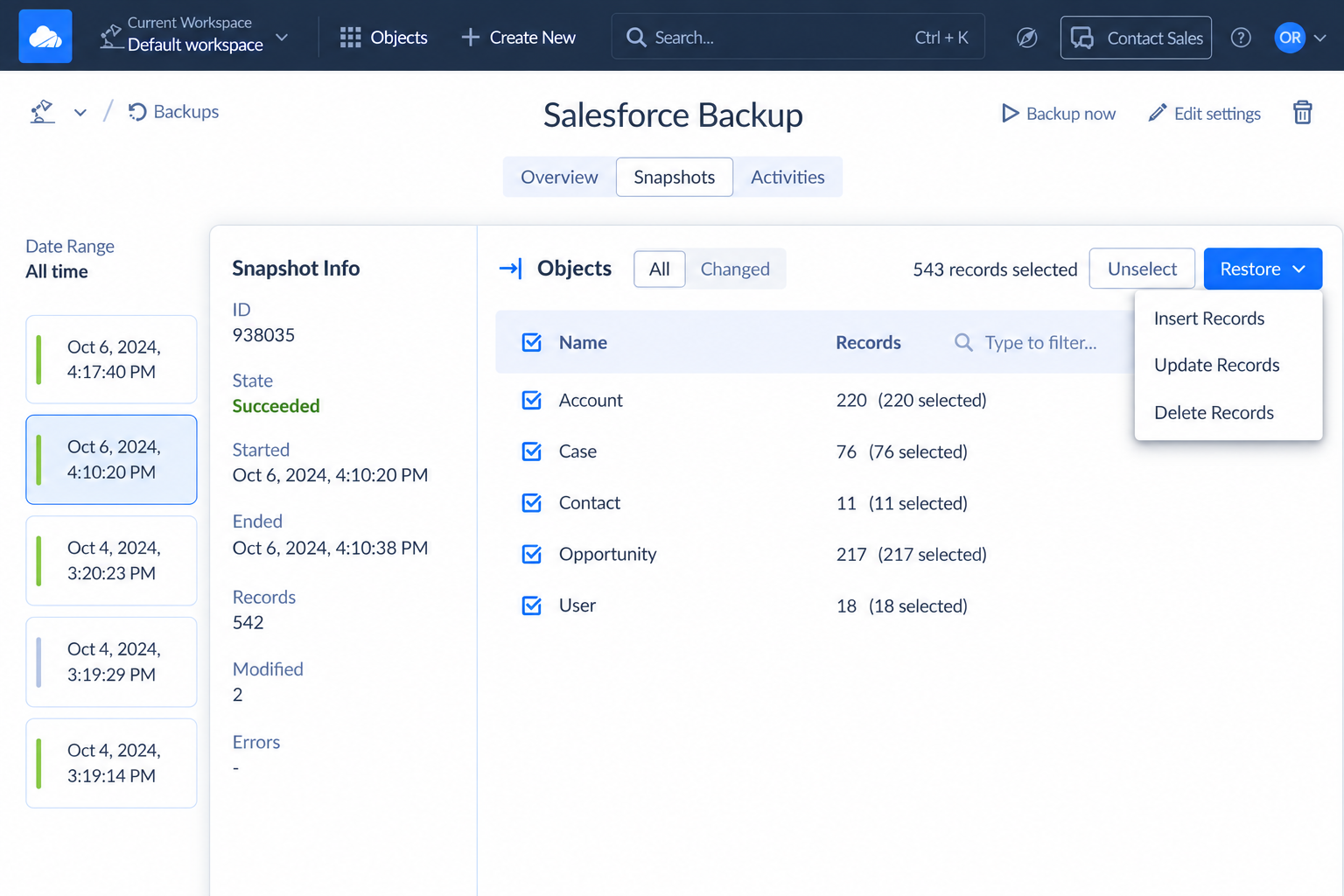
skyvia_run_history_and_logging
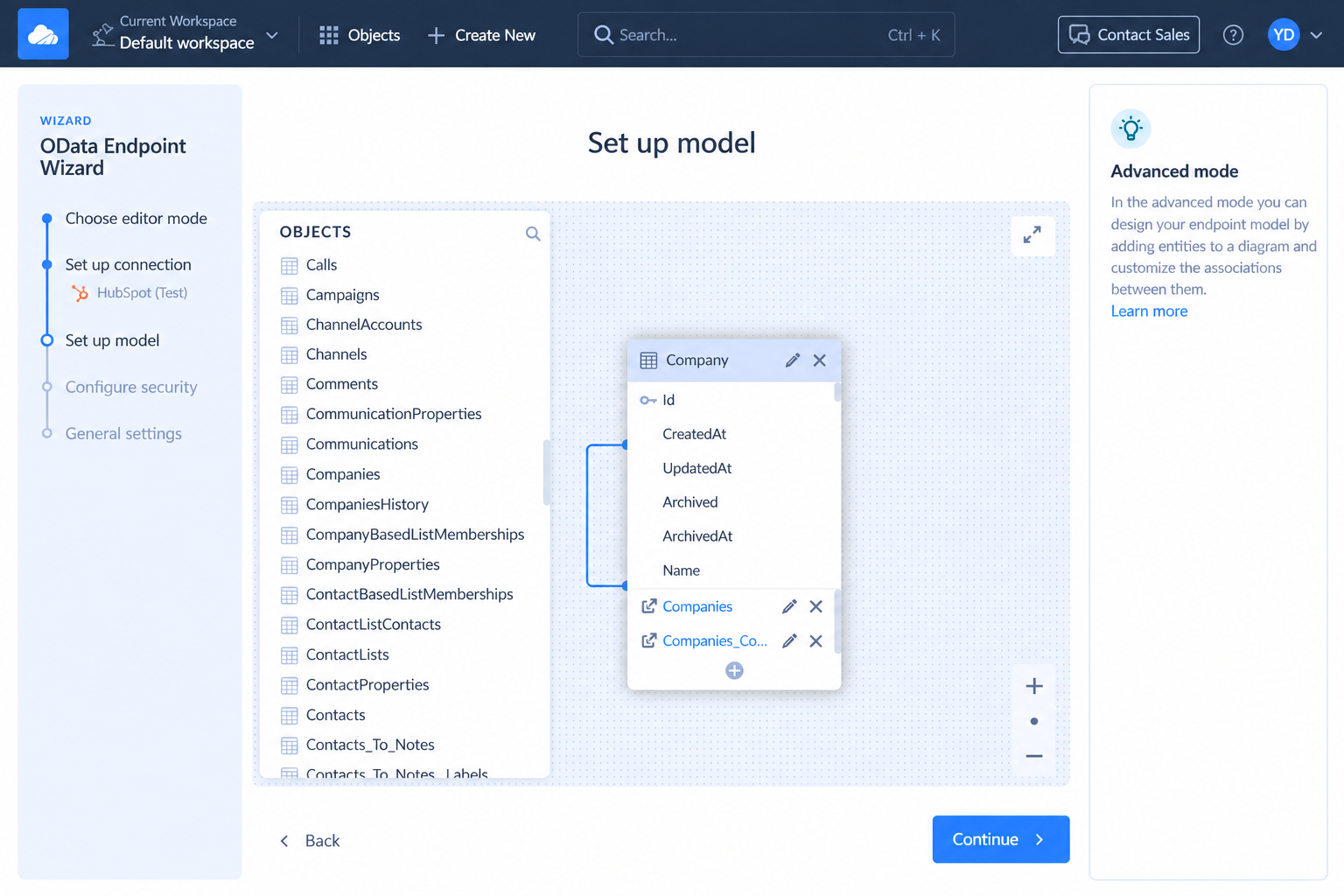
skyvia_live_odata_access_model_setup
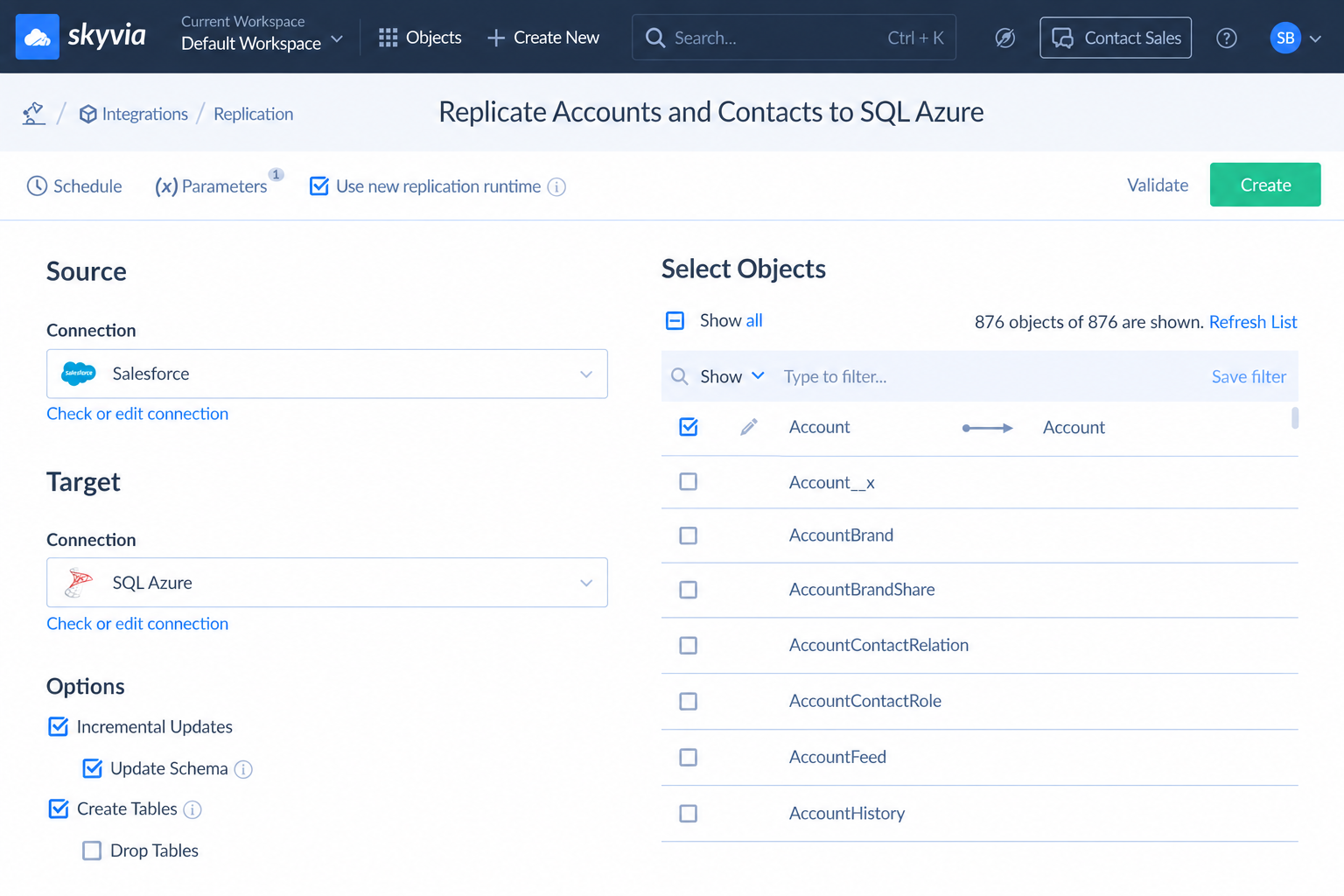
skyvia_salesforce_replication_to_sql_azure
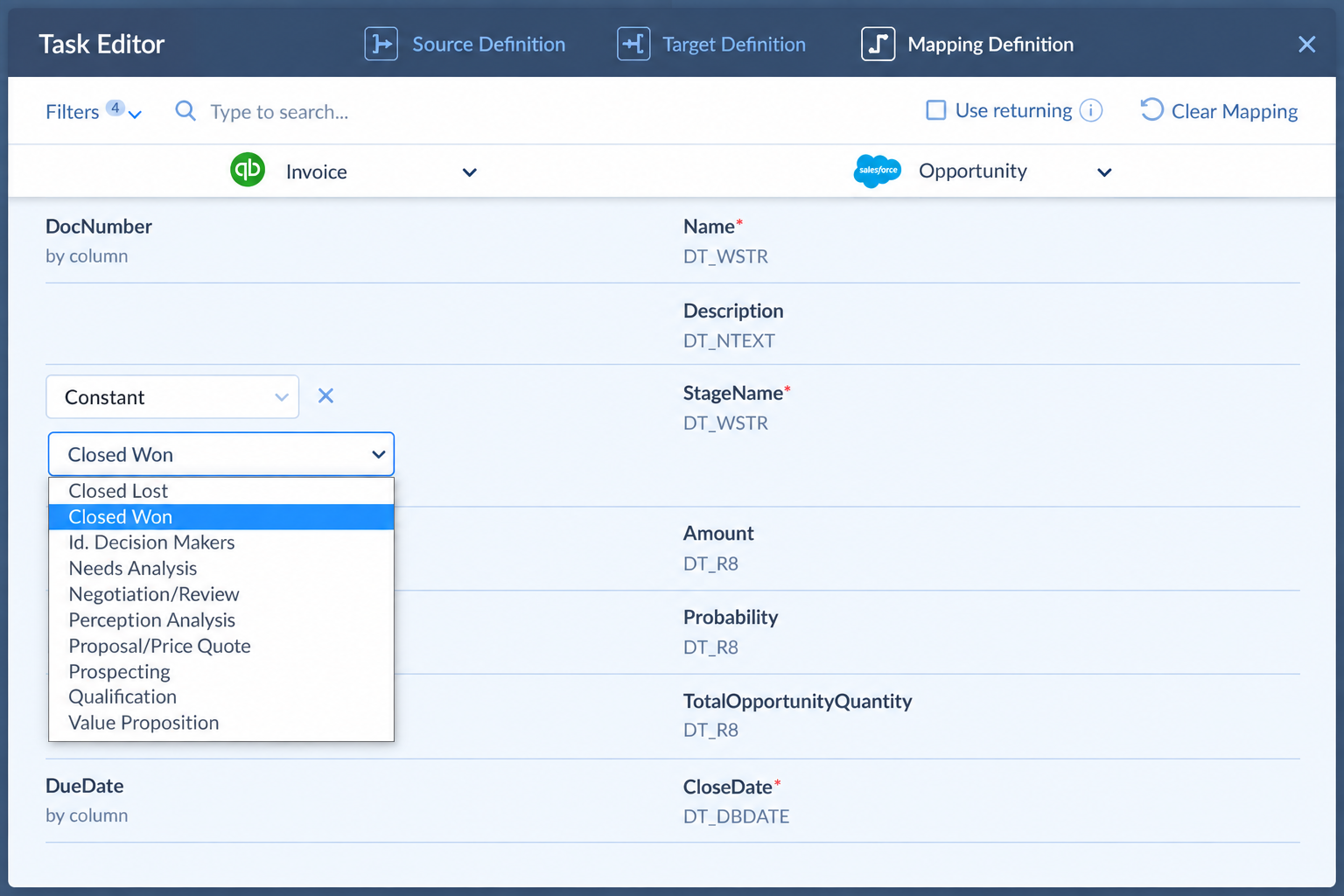
skyvia_salesforce_quickbooks_field_mapping
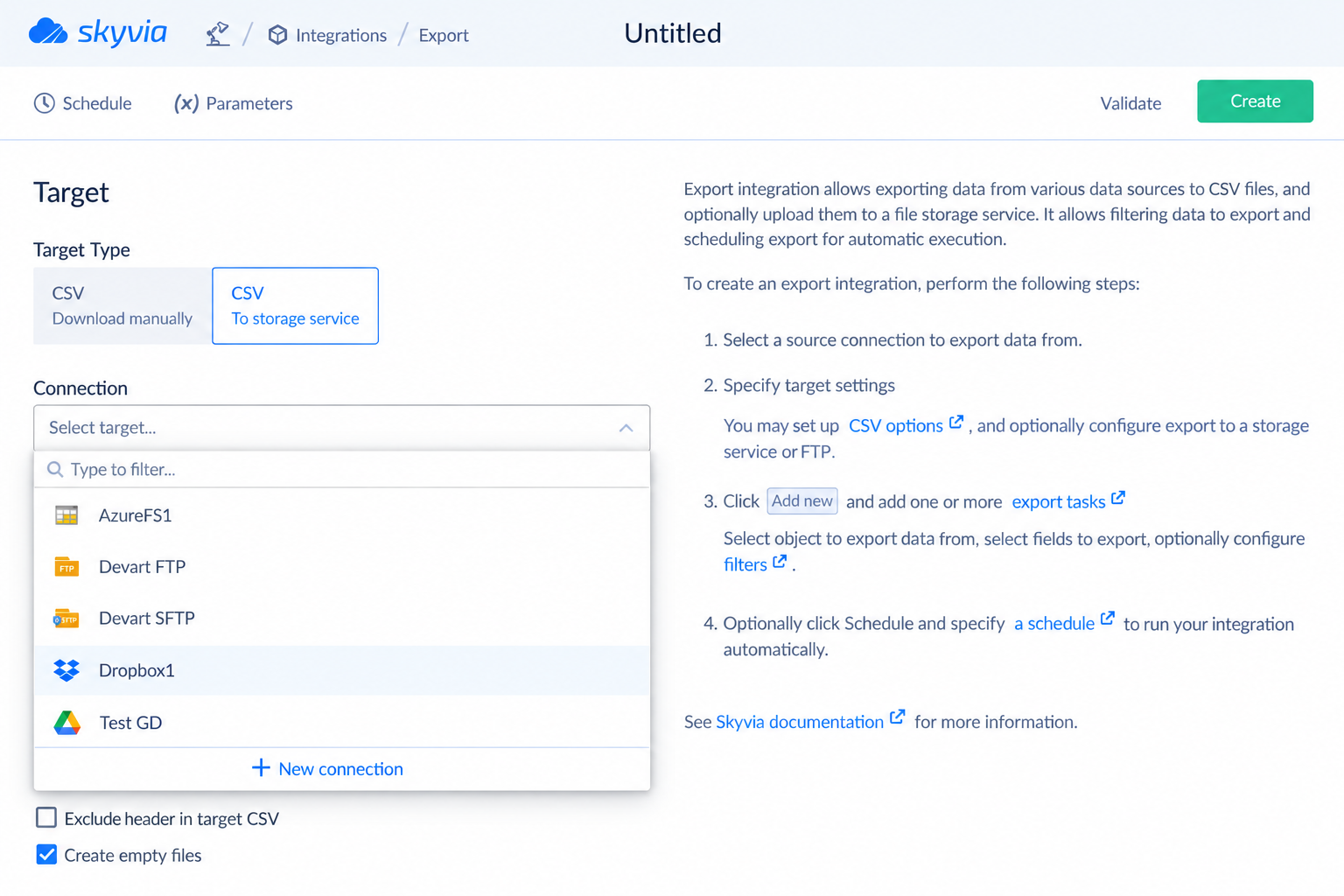
skyvia_export_salesforce_data_to_storage
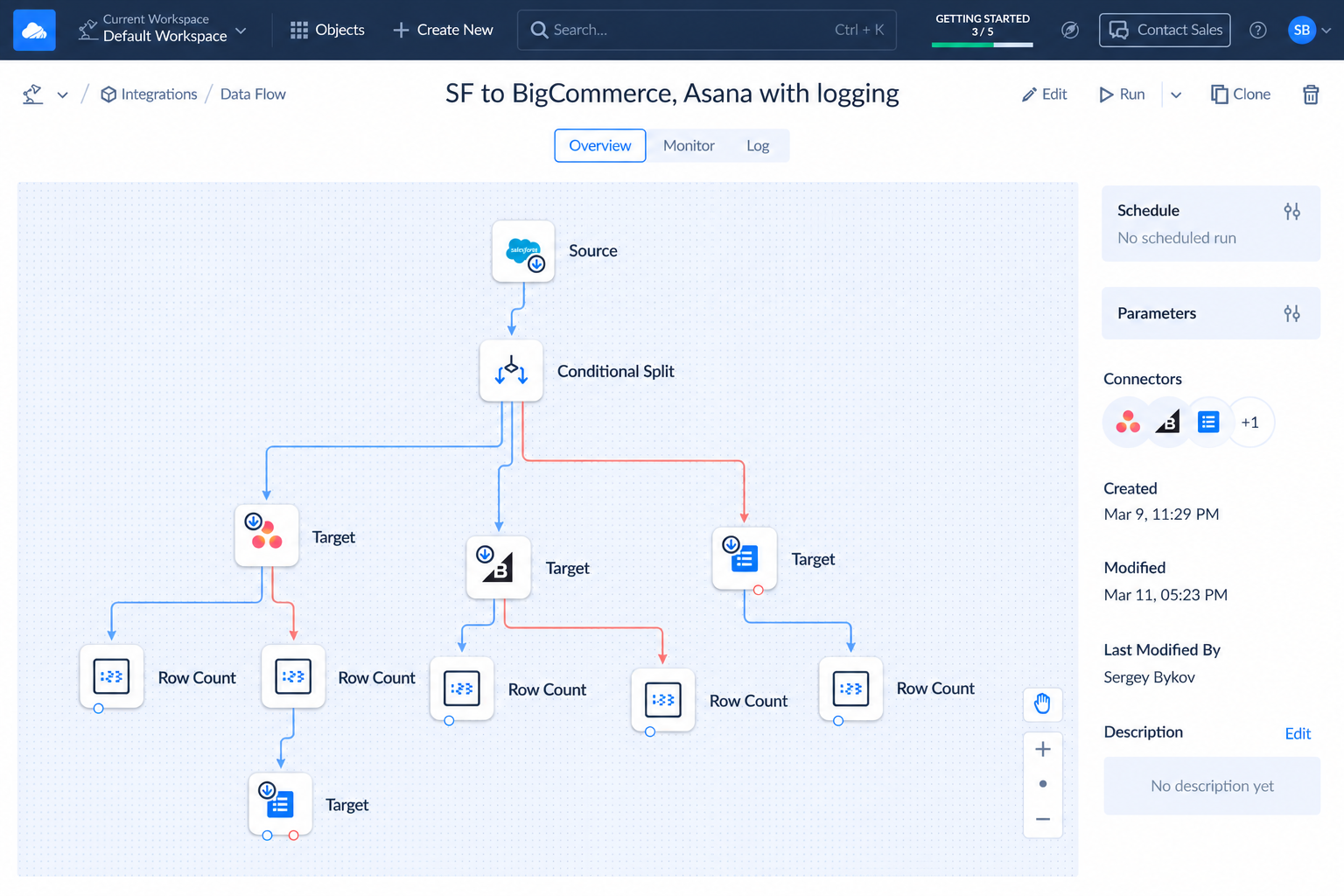
skyvia_multistep_data_flow_pipeline
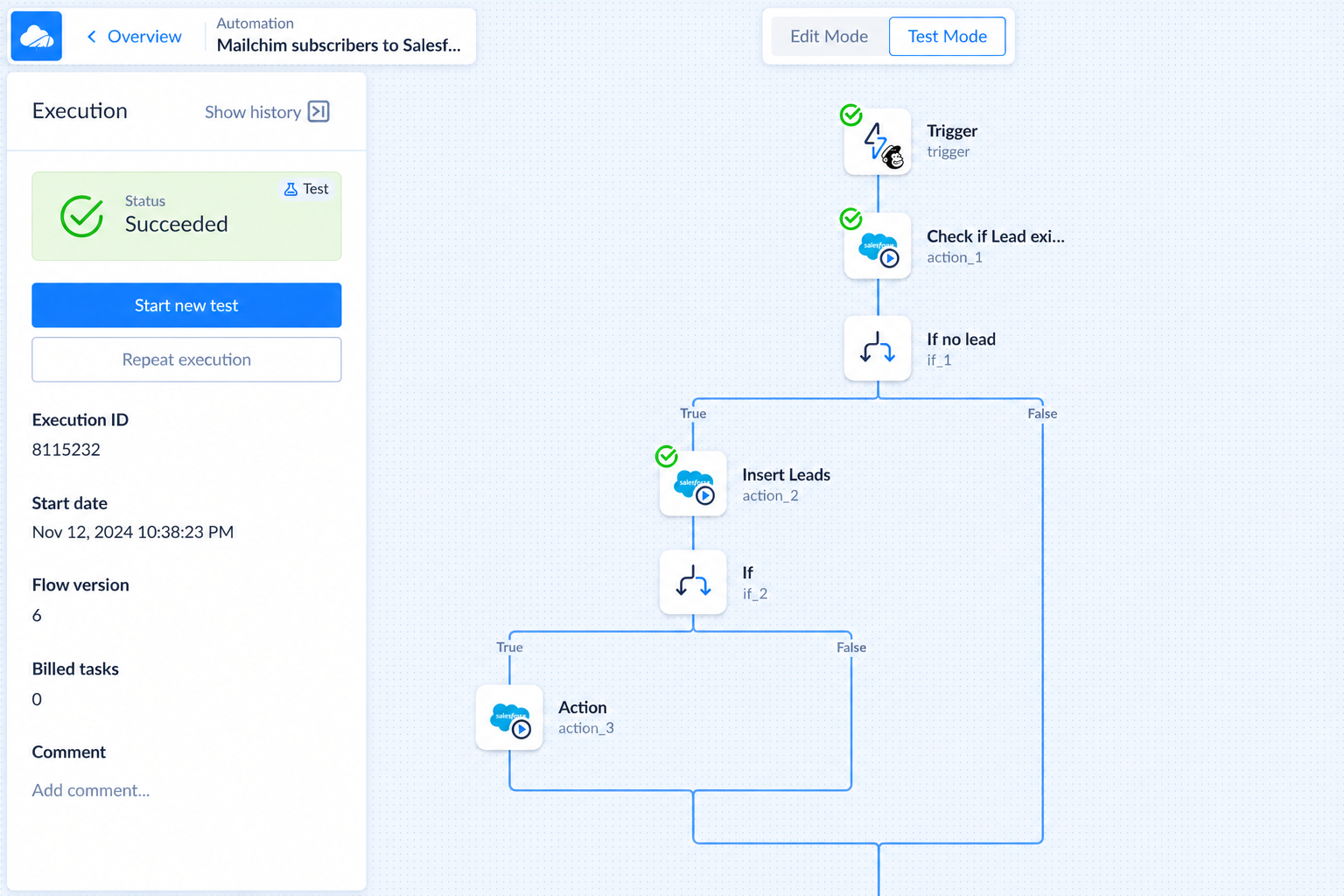
skyvia_salesforce_workflow_automation
Skyvia Reviews
Shiv R.
- Role: Information Technology
- Industry: Education
- Involvement: IT Leader or Manager
Submitted Aug 2026
Its great software, but can have better features.
Likeliness to Recommend
What differentiates Skyvia from other similar products?
I like how easy to use this software is, i allows a newbie to create integrations and play with data flows. Its self explanatory once you start building it. So it is very effective and less time consuming.
What is your favorite aspect of this product?
Favorite is as i mentioned easy to use and setup.
What do you dislike most about this product?
I dislike some functionalities, like once i click cancel integration it takes lots of time to cancel it or force stop it.
What recommendations would you give to someone considering this product?
I would ask them to get proper license because without it they will be using more flows and using more apis that can accommodate more bills.
Pros
- Reliable
- Efficient Service
- Effective Service
- Caring
Cons
- Under Delivered
Please tell us why you think this review should be flagged.

Suraj M.
- Role: Information Technology
- Industry: Technology
- Involvement: End User of Application
Submitted Jul 2026
Reliable and Easy Data Integration for Daily Work
Likeliness to Recommend
What differentiates Skyvia from other similar products?
Skyvia makes data integration feel simple because the setup is guided and the interface is easy to follow and it supports many different data sources which helps keep everything in one place and furthermore the scheduling and automation options work reliably without needing a lot of manual effort. It also offers data integration and synchronization and backup features together which makes daily data management much easier.
What is your favorite aspect of this product?
My favorite part is creating integration workflows because the mapping process is straightforward and the scheduled jobs run consistently and that saves me time on recurring tasks. I also like that I can monitor execution and quickly review results which makes routine data movement much easier. �
What do you dislike most about this product?
I have not found any major issues so far and I would only say that some advanced configuration options can take a little time to understand the first time.
What recommendations would you give to someone considering this product?
I would recommend giving Skyvia a try if you need reliable cloud data integration because it is easy to get started with and the automation features help reduce repetitive work.
Pros
- Helps Innovate
- Continually Improving Product
- Reliable
- Performance Enhancing
Please tell us why you think this review should be flagged.

Juan V.
- Role: Information Technology
- Industry: Insurance
- Involvement: IT Development, Integration, and Administration
Submitted Jan 2026
Intuitive, Powerful, and Worth Every Penny
Likeliness to Recommend
What differentiates Skyvia from other similar products?
Skyvia enables easy integrations, imports, exports, and backups with minimal technical effort, requiring less scripting than tools like Jitterbit or MuleSoft. It has no on-premise agent, reducing infrastructure needs for small to mid-sized teams. It specializes in data import, export, sync, and backup, focusing on ongoing data tasks rather than complex event-driven orchestration. However, Skyvia is not designed for highly complex real-time integrations, deep custom logic, or large-scale API orchestration. In those cases, more heavyweight iPaaS tools may be a better fit.
What is your favorite aspect of this product?
Specifically, the visual mapping interface makes it very easy to configure imports, exports, and synchronizations without heavy scripting, while still providing enough control to handle real-world scenarios like upserts, incremental loads, and error handling. This allows integrations to be built and maintained quickly, even by small teams. Equally important, Skyvia runs fully as a cloud service, so there is no infrastructure to manage. Scheduling, monitoring, and retries are straightforward, which reduces operational overhead and makes ongoing data maintenance predictable and stable.
What do you dislike most about this product?
While it works very well for scheduled, data-centric tasks, it becomes restrictive when more advanced logic is needed. Complex conditional processing, multi-step workflows, or near real-time event handling are not its strengths and often require workarounds or external tools. In addition, debugging can be somewhat limited. When an integration fails, the logs provide the necessary information, but they are not as granular or developer-friendly as those found in more advanced iPaaS platforms, which can slow down root-cause analysis for complex issues.
What recommendations would you give to someone considering this product?
Use Skyvia if your main need is simple, reliable data imports, exports, syncs, and backups. It’s easy to set up, requires little maintenance, and works well for scheduled, data-centric use cases. Plan your data mappings and keys carefully from the start to avoid data quality issues. If you expect complex logic or real-time integrations, consider pairing it with another tool or choosing a more advanced platform.
Pros
- Helps Innovate
- Trustworthy
- Efficient Service
- Effective Service
Please tell us why you think this review should be flagged.






Get Instant Access<br>to this Report
Get Instant Access
to this Report
Unlock your first report with just a business email. Register to access our entire library.
© 2026 SoftwareReviews.com. All rights reserved.
